
Life Ring is one person. I build the websites, and then I look after them: the updates, the backups, the monitoring, and the phone call when something goes wrong. The building is the part people see. The looking after is the part that decides whether a site is still earning its keep two years later.
A while ago that second job quietly started getting bigger than the first. This is what I did about it, and why it ended up as a piece of software that other web developers now use too.
The part of the job nobody sees
Every WordPress site has a core, a theme and a handful of plugins, and each of them updates on its own schedule. Multiply that across every client and you get a constant trickle of small jobs. None of them is hard. The hard part is knowing, on any given morning, which sites need something and which are fine.
For a long time my answer was to log into each site in turn. That works with five clients. It stops working well before fifty, because the problems that matter are not the ones you stumble on while clicking around. They are the backup that silently stopped running, the plugin with a security hole announced last Tuesday, or the contact form that broke after an update and has been losing enquiries ever since.
My promise to clients is that I hear about a problem before they do. Logging into dashboards one at a time could not keep that promise.
What I tried first
I tried the established WordPress management tools. They work, and plenty of good agencies run on them. But each one bothered me in a way that mattered for a business like mine.
- Most charge per site, so the bill climbs with every client I take on. That pushes up what I have to charge, and small businesses are exactly the people I want to keep costs down for.
- Most are cloud services, so details about my clients’ sites live on someone else’s servers. I tell clients they own their site and every login is in their name. Handing the keys to a third party sat badly with that.
- Several did far more than I needed, with screens full of features I would never touch.
What I wanted was simple: one screen that tells me what needs attention, running on a server I control, without a fee for every site.
So I built it
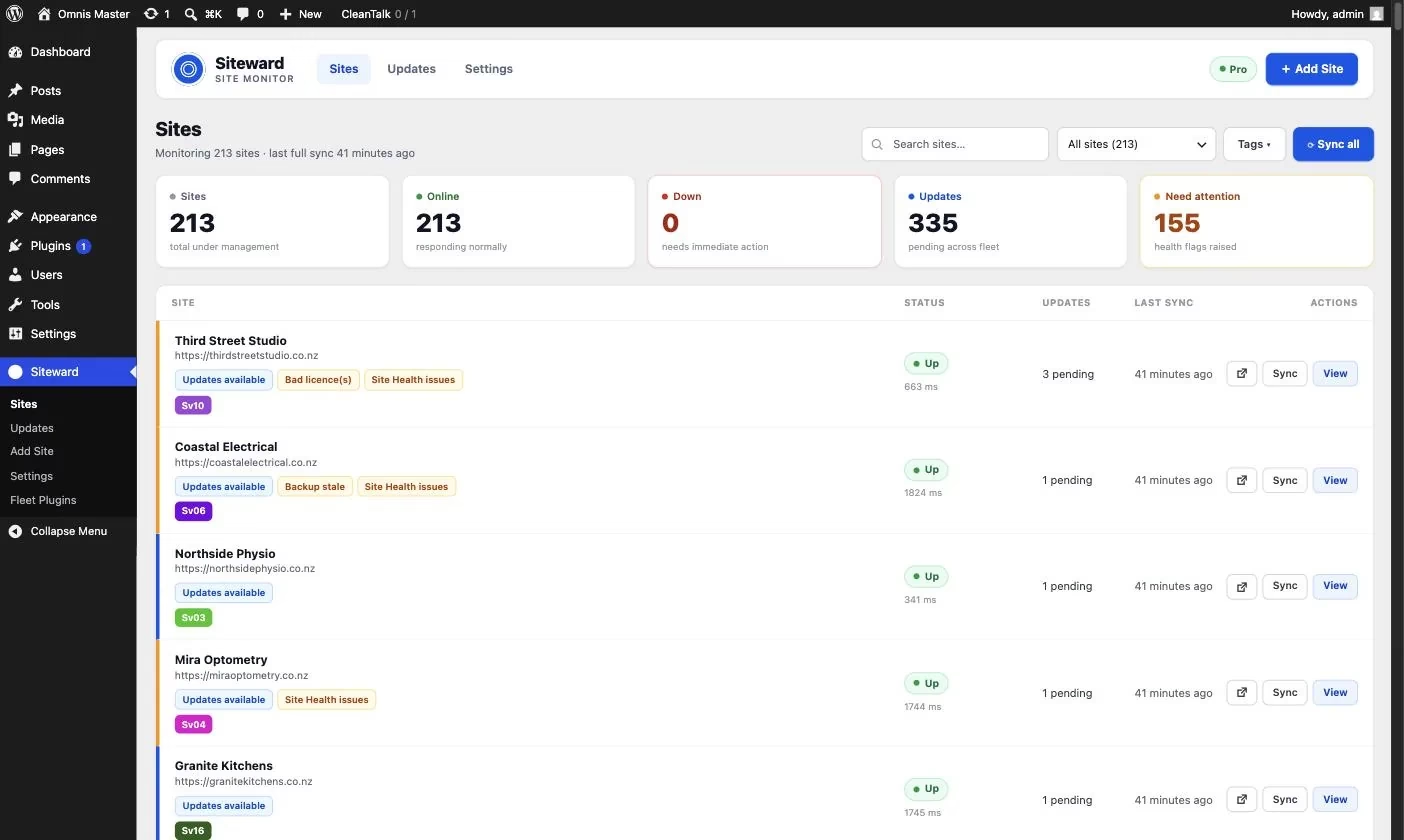
That tool became Siteward. It is a pair of WordPress plugins: a dashboard that runs on a WordPress install of my own, and a small connector plugin on each client site. The dashboard does all the asking, and every request it sends is signed with a private key, so a client site only answers to my dashboard.
Each morning I open one page instead of a stack of logins. It shows me:
- Uptime, checked from the outside every five minutes, so even a site that is completely down gets caught, and I get an email the moment it stops responding.
- Pending WordPress, plugin and theme updates, which I can run across many sites in one go.
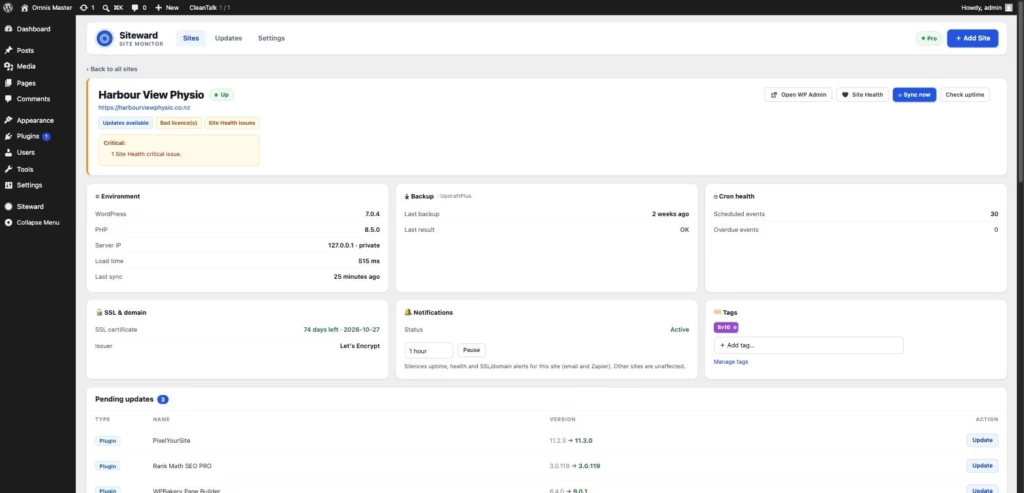
- Backup status, with a flag when a backup is missing, stale or failing.
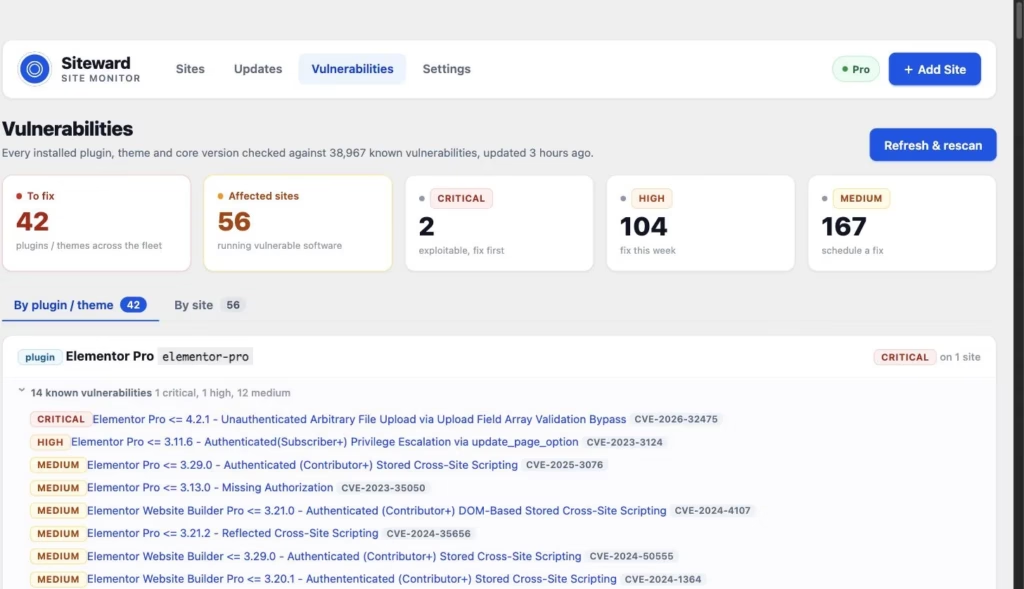
- Known security vulnerabilities in any installed plugin, theme or WordPress version, sorted by how serious they are.
- Slow pages, stalled scheduled tasks, expiring SSL certificates and WordPress critical errors.
There is more on the Siteward features page, but those few are what changed my week.
What it changed for my clients
The biggest change is not speed, although my weekly update round now takes a fraction of the time. It is that problems find me. When a backup stalls or a plugin turns up on a vulnerability list, it is on my screen that morning, not waiting for a client to ring and say something looks wrong.
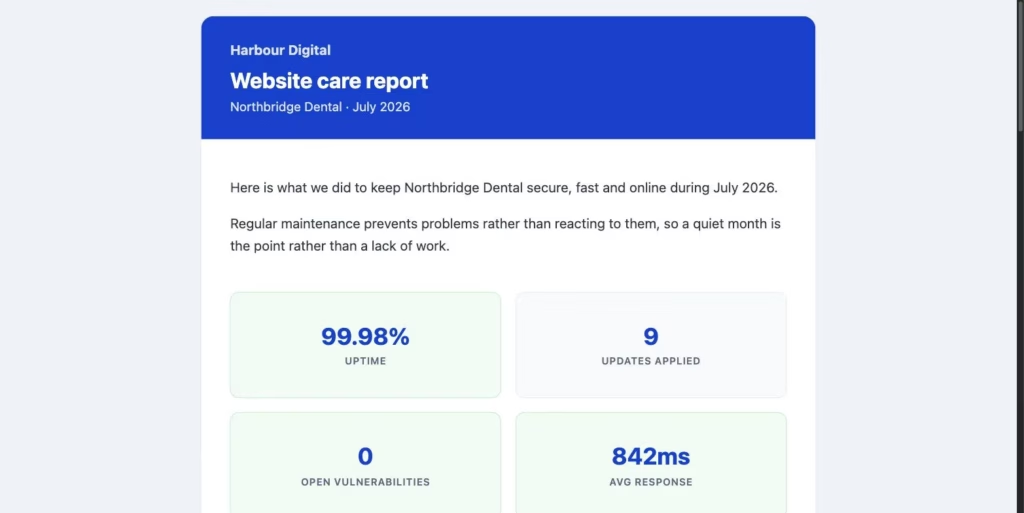
It also made reporting easy. Clients on my managed WordPress hosting get a short monthly summary of what was done: updates applied, uptime, and anything that needed fixing. A quiet month is the whole point of paying for care, and the report shows the work behind it. Siteward produces these as white-label client reports, so they carry my name rather than the software’s.
Why it is free, and why it stays self-hosted
I could have kept Siteward to myself. Instead the core of it is free to download from WordPress.org for any number of sites, with a paid Pro version for agencies that want extras like client reports and SSL monitoring.
That is the same deal I offer Life Ring clients: no lock-in, nothing proprietary, and you can walk away with everything. A tool that watches my clients’ sites should play by the same rules. It runs on my own server, the data stays with me, and nobody charges me more because I took on another client.
If you look after your own WordPress site
You do not need a fleet dashboard for one site. You do need someone checking it regularly. At a minimum, keep WordPress, plugins and themes up to date, make sure your backups actually restore, and know within minutes if the site goes down. If you want the full routine I follow, I have written it up as a WordPress maintenance checklist. It is aimed at agencies, but it works just as well for a single site.
And if you would rather not think about any of it, that is what I am here for. Start with a free site audit and I will tell you, in plain English, how your site is doing and what needs attention. If it is in a bad way, a website rescue usually sorts it out without a full rebuild. For more on why ongoing care matters, read the importance of managed WordPress hosting.